4. Inflator modeling and gas generation
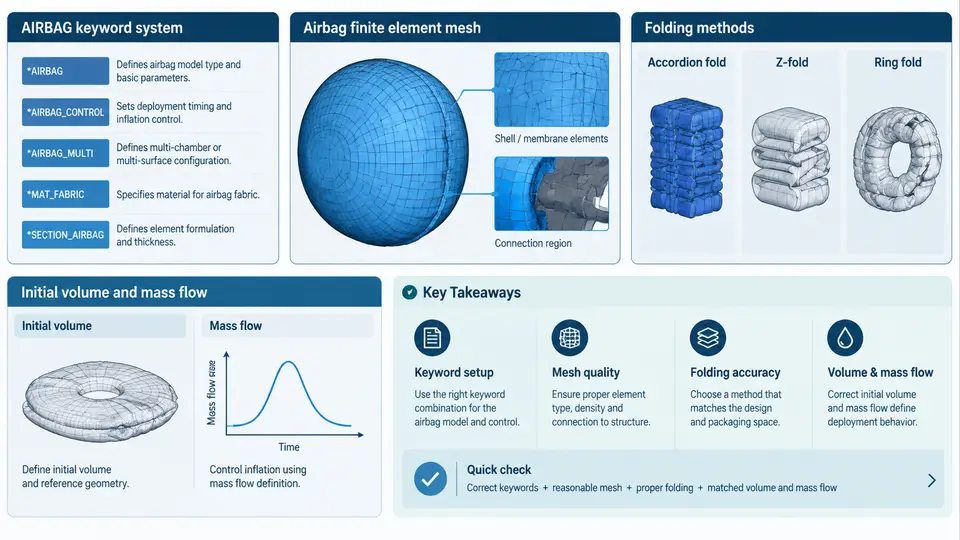
In a side airbag simulation, the inflator is the energy source that drives every downstream event: bag unfolding, seam opening, pressure rise, and ultimately the restraint force applied to the occupant. Unlike a structural part, the inflator cannot be represented by geometry and material alone. It must be described by a gas generation history — how much gas mass enters the bag, at what temperature, and with what composition, as a function of time. In LS-DYNA this is handled by the *AIRBAG_ keyword family, most commonly *AIRBAG_SIMPLE_PRESSURE_VOLUME for a lumped tank-based approach or *AIRBAG_WANG_NEFSKE / *AIRBAG_PARTICLE for more detailed control. All of them consume the same core inflator inputs: a mass flow rate curve, a gas temperature, and a species (gas mixture) definition.
Why the Inflator Is a Boundary Condition, Not a Part
The physical inflator contains a pyrotechnic or hybrid charge. On ignition, propellant burns and generates gas that passes through a filter and exits through ports into the cushion. Modeling the internal combustion chemistry directly is impractical for a full-vehicle side impact model, so the standard practice is to characterize the inflator on a tank test and convert those measurements into input curves. The tank test records pressure versus time inside a fixed-volume vessel; from that pressure history, mass flow rate and temperature are derived using the ideal gas law and an energy balance. This is the origin of the data you place in the keyword deck.
The three inputs are coupled. Mass flow rate sets how fast the bag fills; temperature sets the gas internal energy and therefore the pressure for a given mass; species composition sets the effective gas constant and specific heat ratio. Getting one right while neglecting the others produces a bag that may look plausible in a single frame but fails in timing or peak pressure.
Mass Flow Rate Input
Mass flow rate is supplied as a curve of mass flow (mass per unit time) versus time, referenced by a load curve ID. In *AIRBAG_SIMPLE_PRESSURE_VOLUME the relevant field is LCID for the mass flow rate, paired with a second curve for the tank pressure or a temperature curve depending on the option selected. A typical side inflator reaches peak mass flow within 2–5 ms and completes most of its output by 20–30 ms.
Consider a representative side inflator with a total generated gas mass of about 40 g. A simplified mass flow curve might be tabulated as follows (values are illustrative, not measured):
*DEFINE_CURVE
         1         0       1.0       1.0       0.0       0.0       0.0
     0.000     0.000
     0.001     8.000
     0.003    22.000
     0.006    18.000
     0.010     9.000
     0.015     3.000
     0.025     0.000
Here the ordinate is mass flow rate in grams per millisecond (equivalently kg/s after unit conversion), and the abscissa is time in milliseconds. The integral under the curve gives total gas mass. You should always verify this integral against the inflator datasheet total mass; a mismatch of more than a few percent usually indicates a unit error or a truncated curve.
Temperature Input
The gas temperature entering the cushion is typically in the range of 600–1000 K for a hot pyrotechnic inflator, dropping as gas expands and mixes with ambient air in the bag. In the lumped approach, a single T value or a temperature-versus-time curve is provided. This temperature is not the flame temperature; it is the effective temperature of the gas at the inflator exit, already accounting for filter cooling and heat loss.
Temperature affects the simulation through the equation of state. For an ideal gas, pressure in the control volume is:
P = (m R T) / V
where m is the instantaneous gas mass, R is the specific gas constant of the mixture, T is the gas temperature, and V is the bag volume. If you understate temperature, the model compensates by requiring more mass to reach the same tank pressure, which distorts the fill timing. If you overstate temperature, peak pressure is reached too early and the bag may appear to deploy faster than the physical hardware.
Species Composition Input
Real inflator gas is a mixture, not a single species. A hybrid inflator may produce primarily nitrogen and carbon dioxide with smaller amounts of water vapor, carbon monoxide, and trace hydrocarbons. LS-DYNA allows the mixture to be defined through the airbag keyword's gas composition fields or through an associated *AIRBAG_ option that accepts mole or mass fractions. The composition determines the mixture gas constant:
R_mix = R_universal / M_mix
where M_mix is the mole-weighted average molar mass. It also determines the ratio of specific heats, which influences how pressure and temperature evolve during expansion. For most side airbag work, a two- or three-species representation (N₂, CO₂, H₂O) captures the dominant behavior. A single-species nitrogen assumption is acceptable only when the inflator is genuinely a stored-gas design.
The following table summarizes the three inputs and their practical sources:
| Input | Keyword field | Typical source | Common error |
|---|---|---|---|
| Mass flow rate | LCID (mass flow curve) |
Tank test reduction | Unit mismatch (g/ms vs kg/ms) |
| Gas temperature | T or temperature curve |
Exit thermocouple / energy balance | Using flame temperature instead of exit temperature |
| Species composition | Gas mixture fields | Gas chromatography of tank sample | Assuming pure N₂ for a pyrotechnic inflator |
How the Three Inputs Interact
The figure below shows the coupling path from inflator characterization to bag pressure response. Mass flow and temperature jointly determine the energy delivered to the control volume, while species composition sets the gas constant and specific heat that convert that energy into pressure.
Practical Verification and Troubleshooting
After building the inflator deck, run a single-bag simulation with a rigid, fixed-volume enclosure if possible, or a simple free-deployment case, and check three things. First, integrate the mass flow curve and compare with the datasheet total mass. Second, plot bag pressure versus time and compare the peak and the time-to-peak against the tank test. Third, check the gas temperature history — it should decay smoothly as the bag inflates, not spike or oscillate.
Typical failure symptoms and their causes:
- Bag pressure rises too slowly: mass flow curve scaled down by a unit factor, or temperature set too low.
- Peak pressure far above tank test: bag volume too small (leakage not modeled) or gas constant too high from an incorrect species mix.
- Pressure oscillates unphysically: mass flow curve has too few points or a discontinuity; refine the curve near the peak.
- Bag never fully deploys: total integrated mass is insufficient, or the vent leakage coefficient is too aggressive.
Once the inflator inputs are validated against the tank test, they become a reusable boundary condition for the side airbag model. The next step is to connect this gas source to the cushion geometry and the occupant, which is where the deployment and restraint behavior is actually evaluated.