4. Inflator modeling strategies
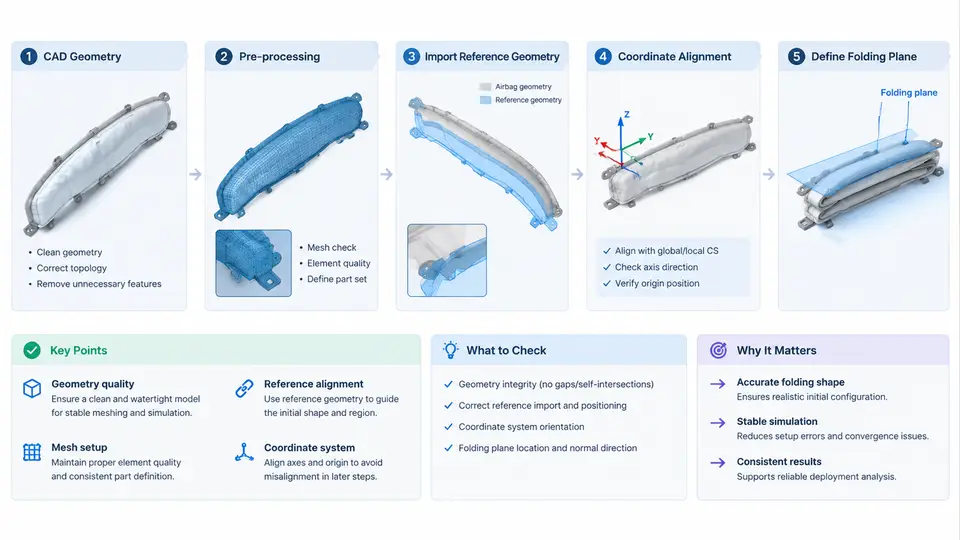
In an airbag deployment simulation, the inflator is the energy source. The fabric, seams, and vents only determine how that energy is distributed. If the inflator model is wrong, no amount of mesh refinement will produce a correct bag pressure history. This section covers the practical path from raw tank test data to a working *AIRBAG_* definition in LS-DYNA.
Why the Tank Test Is the Reference
An inflator is characterized by firing it into a rigid closed tank of known volume and recording the pressure and temperature history. The tank test is the industry-standard characterization because it isolates the inflator from the airbag. The measured pressure rise is a direct consequence of the mass and energy injected into a fixed control volume.
Two quantities must be extracted from the tank test:
- Mass flow rate ṁ(t) — how much gas enters per unit time.
- Temperature T(t) — the temperature of the gas entering the bag, which sets the internal energy per unit mass.
LS-DYNA's uniform-pressure airbag model (*AIRBAG_WANG_NEFSKE and its variants) requires exactly these two curves, plus the bag volume and the gas properties.
Reducing Tank Test Data to Mass Flow Rate
The tank is a control volume. Applying conservation of mass and the ideal gas law to the tank contents gives the mass of gas inside the tank at any instant:
m_tank(t) = P_tank(t) * V_tank / (R * T_tank(t))where P_tank is the measured absolute pressure, V_tank is the tank volume, T_tank is the measured gas temperature, and R is the specific gas constant of the propellant gas mixture. The mass flow rate is then the time derivative:
mdot(t) = d(m_tank)/dtIn practice the raw pressure signal is noisy, so the derivative must be smoothed. A common approach is to fit a smooth curve (e.g., a piecewise polynomial or a moving-average filter) to m_tank(t) before differentiating. Differentiating raw data directly produces spikes that will destabilize the simulation.
Temperature Curve and the Energy Balance
The temperature curve is not simply the measured tank gas temperature. The gas entering the bag has a stagnation temperature that is higher than the tank bulk temperature because the incoming gas does work on the tank contents. For most pyrotechnic inflators, the effective inflator exit temperature is estimated from an energy balance on the tank:
m_tank * cv * T_tank = integral( mdot * cp * T_inflator ) dt - Q_losswhere cv and cp are the specific heats of the gas mixture, and Q_loss accounts for heat transfer to the tank walls. In many production workflows, T_inflator is approximated as a constant or a slowly varying curve calibrated so that the simulated tank pressure matches the measured tank pressure. This calibration step is the heart of inflator modeling.
The figure below shows the data reduction chain and how the two curves feed into the LS-DYNA airbag keyword.
Key *AIRBAG_* Keyword Options
LS-DYNA offers several airbag keywords. The choice depends on the required fidelity and the available data.
| Keyword | Model Type | Required Input | Typical Use |
|---|---|---|---|
*AIRBAG_WANG_NEFSKE |
Uniform pressure, control volume | ṁ(t), T(t), CP, CV, R, V_bag | Standard driver/passenger bag, fast turnaround |
*AIRBAG_WANG_NEFSKE_JETTING |
Uniform pressure + jetting | Same as above + jet direction | Side bags, curtain bags with directed flow |
*AIRBAG_WANG_NEFSKE_MULTIPLE_JETTING |
Multiple jets | Same + multiple jet definitions | Complex multi-chamber bags |
*AIRBAG_SIMPLE_PRESSURE_VOLUME |
Pressure-volume curve | P(V) curve | Early-stage concept studies |
*AIRBAG_PARTICLE |
Particle gas dynamics | ṁ(t), T(t), particle count | Out-of-position (OOP) occupant loading |
*AIRBAG_FV |
Finite volume gas dynamics | ṁ(t), T(t), mesh | Detailed flow field, high fidelity |
For most production crash simulations, *AIRBAG_WANG_NEFSKE is the workhorse. It assumes the bag is a single control volume with uniform pressure. The input deck looks like this:
*AIRBAG_WANG_NEFSKE
$     SID    SIDTYP    RBID    VSCA    PSCA    VINI
         1         0         0       1.0     1.0     0.0
$     CN    CV    CP    T0
      1.0   0.72  1.00  293.0
$    LCID    TID    MU    AREA    PE    RO
       100     200   0.0     0.0   0.0   0.0
$     LCA    LCB    LCC    LCD
         0      0      0      0
*DEFINE_CURVE
       100
     0.000   0.000
     0.005   0.800
     0.010   1.200
     0.020   0.900
     0.030   0.400
     0.040   0.100
     0.050   0.000
*DEFINE_CURVE
       200
     0.000   293.0
     0.005   850.0
     0.010   900.0
     0.020   880.0
     0.030   860.0
     0.040   840.0
     0.050   830.0
Here LCID points to the mass flow rate curve (kg/ms), TID points to the temperature curve (K), CN is the bag volume scaling factor, CV and CP are the specific heats, and T0 is the ambient temperature. The VSCA and PSCA factors allow quick scaling of the inflator output without editing the curves — useful for sensitivity studies.
Calibration Workflow and Verification
The calibration loop is straightforward but requires discipline:
- Build a tank model in LS-DYNA: a rigid shell of the same volume as the physical tank, with the same initial pressure and temperature.
- Apply the reduced ṁ(t) curve and an initial guess for T(t).
- Run the simulation and compare the simulated tank pressure history to the measured one.
- Adjust T(t) — typically scale it up or down — and repeat until the pressure curves match within a few percent.
- Transfer the calibrated ṁ(t) and T(t) to the full airbag model.
Common Pitfalls
- Unit inconsistency. Tank pressure in bar, volume in liters, and R in J/(kg·K) will not cancel. Convert everything to SI before computing mass.
- Ignoring heat loss. For long-duration tests (over ~100 ms), heat transfer to the tank wall is significant. Neglecting it inflates the computed mass flow rate at late times.
- Using gauge pressure. As noted above, this is the most common source of a systematic offset.
- Over-smoothing. Excessive filtering of the pressure signal removes the initial pressure spike, which is exactly the region that drives OOP loading. Preserve the first 5–10 ms.
- Wrong gas constant. Propellant gas is not air. Use the R and specific heats supplied by the inflator manufacturer, or derive them from the measured tank pressure and temperature.
With a validated tank model and calibrated curves, the inflator becomes a reliable boundary condition for the airbag simulation. The next step is to couple it to the folded bag geometry and the occupant contact model.