1. 配置MoveIt2环境并运行Demo
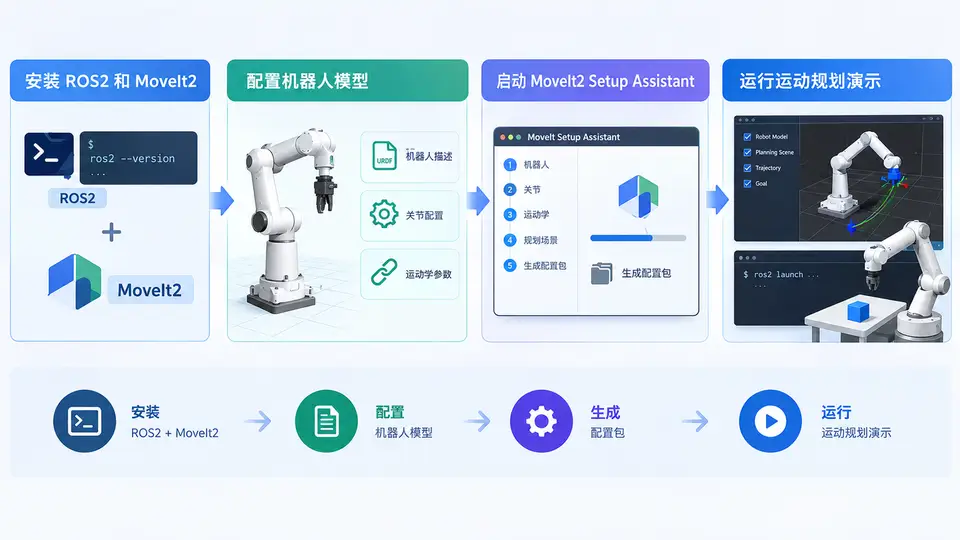
任务目标
本案例完成ROS2 (Humble) + MoveIt2的安装与环境验证,使用MoveIt Setup Assistant为Panda机器人生成配置包,并运行MoveIt2的Demo演示,确认运动规划功能可用。
环境与依赖
- Ubuntu 22.04 LTS
- ROS2 Humble Hawksbill
- MoveIt2 (Humble分支)
- Panda机器人模型(来自
moveit_resources)
安装步骤
# 1. 安装ROS2 Humble(若未安装)
sudo apt update && sudo apt install -y ros-humble-desktop python3-rosdep
sudo rosdep init && rosdep update
echo "source /opt/ros/humble/setup.bash" >> ~/.bashrc

# 2. 安装MoveIt2及相关依赖
sudo apt install -y ros-humble-moveit ros-humble-moveit-resources ros-humble-moveit-setup-assistant

# 3. 创建工作空间并下载Panda配置示例
mkdir -p ~/moveit2_ws/src && cd ~/moveit2_ws/src
git clone https://github.com/ros-planning/moveit_resources.git -b humble
cd ~/moveit2_ws && colcon build --symlink-install
echo "source ~/moveit2_ws/install/setup.bash" >> ~/.bashrc
source ~/.bashrc
使用Setup Assistant生成配置包
# 启动MoveIt Setup Assistant
ros2 launch moveit_setup_assistant setup_assistant.launch.py- 点击 Create New MoveIt Config Package;
- 选择Panda的URDF/XACRO文件:
~/moveit2_ws/src/moveit_resources/panda_description/urdf/panda.urdf.xacro; - 点击 Load Files,等待解析完成;
- 依次进入左侧各配置页,保持默认设置(Self-Collisions、Planning Groups、Robot Poses等均自动生成);
- 在 Configuration Files 页,设置包名
panda_moveit_config,生成路径~/moveit2_ws/src; - 点击 Generate Package,完成后关闭Setup Assistant。
编译并运行Demo
cd ~/moveit2_ws
colcon build --symlink-install
source install/setup.bash

# 启动MoveIt2 + RViz演示
ros2 launch panda_moveit_config demo.launch.py
验证方法与通过条件
- RViz界面:启动后RViz应显示Panda机器人模型,左侧面板包含
MotionPlanning插件; - 规划组检查:在
MotionPlanning面板中,Planning Group下拉框应包含panda_arm和panda_hand; - 交互验证:使用Interact工具拖动机械臂末端球标,点击Plan & Execute按钮,机器人应平滑运动到目标位姿,RViz中无红色碰撞报错;
- 终端输出:执行规划时终端显示
Planning successfully,执行完成后显示Execution complete。
满足以上条件即表示MoveIt2环境配置成功,第一个运动规划Demo运行通过。
常见问题
- colcon build报错:确认已安装
python3-colcon-common-extensions,并先source ROS2环境; - Setup Assistant无法加载URDF:xacro文件需先转换为URDF,可在终端执行
ros2 run xacro xacro panda.urdf.xacro > panda.urdf后加载生成的URDF文件; - RViz中机器人不显示:检查
demo.launch.py中robot_description参数是否指向正确的xacro路径,确认panda_moveit_config包已正确编译。