1. 创建第一个FastAPI应用
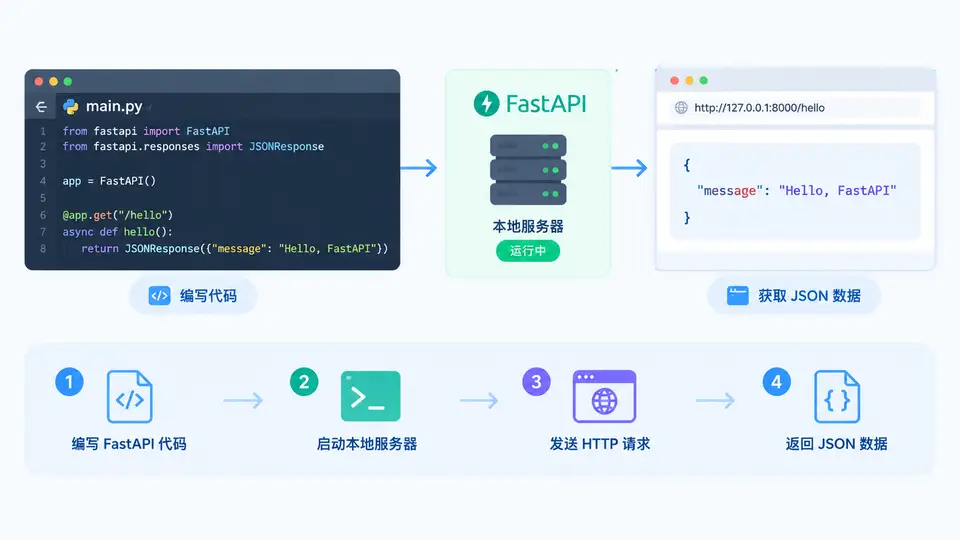
任务说明
本案例将创建一个最小可运行的 FastAPI 应用:定义根路径 GET /,访问时返回包含欢迎信息的 JSON 响应。通过该案例验证 FastAPI 开发环境是否就绪,并掌握本地服务的启动与访问方法。
实现代码
# main.py
from fastapi import FastAPI

app = FastAPI()

@app.get("/")
def read_root():
    return {"message": "Hello FastAPI", "status": "running"}
依赖与启动
# 安装依赖(已安装可跳过)
pip install fastapi uvicorn

# 启动服务(当前目录下执行)
uvicorn main:app --reload --port 8000
接口结构
验证方法
- 在终端执行
uvicorn main:app --reload --port 8000,观察输出是否包含Uvicorn running on http://127.0.0.1:8000。 - 浏览器访问
http://127.0.0.1:8000/,或另开终端执行curl http://127.0.0.1:8000/。 - 判定标准:页面或终端返回 JSON 内容
{"message":"Hello FastAPI","status":"running"},且 HTTP 状态码为 200,即表示案例通过。